Hey, I'm Brett 👋
Software developer. Former finance guy. Building things with code and experimenting with AI.
Software developer. Former finance guy. Building things with code and experimenting with AI.
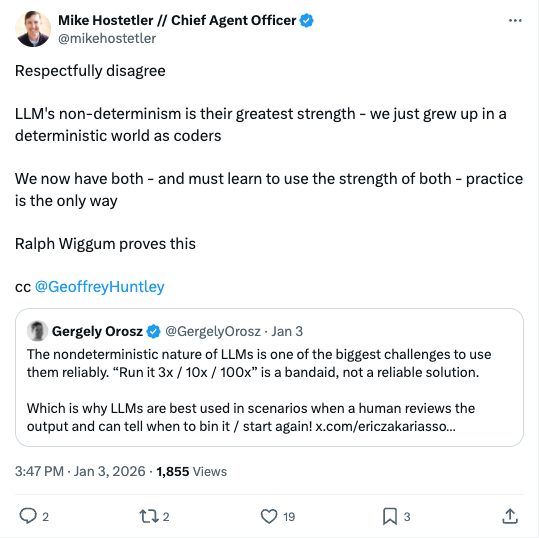
I had always seen the non-deterministic behavior of LLM’s as the shortcoming with code generation, but this comment really had me realizing that doing things incorrectly and unconventionally is how you experiment and come up with new ways to build things
Non-deterministic behavior is not only the path for innovation, but it is also how nature works. Maybe the machines will use this natural non-deterministic nature of building to create software we couldn’t imagine in our tightly controlled box of deterministic code writing.
That is not to say we want the software that runs to be non-deterministic, but the path to getting deterministic software itself doesn’t need to be deterministic.
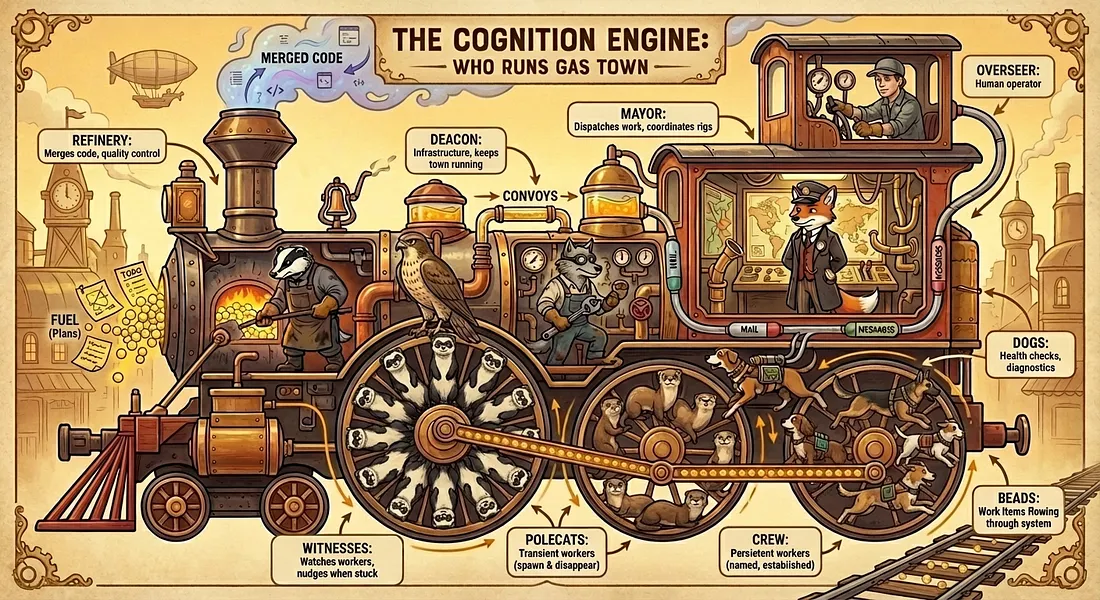
Gas Town is an interesting endeavor by Steve Yegge. Steve has long been warning that the IDE as we know it will be obsolete and replaced by AI Coding Agent Orchestrators. Gas Town is the result of several iterations into a workable orchestrator.
It is an extremely complicated workflow with a comprehensive article to help explain. Here are some highlights:
The focus is throughput: creation and correction at the speed of thought.
Gas Town workers are regular coding agents, each prompted to play one of seven well-defined worker roles.
The most fundamental workflow in Gas Town is the handoff,
gt handoff, or the/handoffcommand, or just say, “let’s hand off”.
Just remember the Golden Rules:
- Do not use Gas Town if you do not juggle at least five Claude Codes at once, daily.
- Do not use Gas Town if you care about money.
- Do not use Gas Town if you are more than 4 feet tall. I want to tower impressively at meet-ups, like Sauron.
- Do not use Gas Town.
Finally took a look at David Crawshaw’s new project exe.dev , a slick new service for spinning up virtual machines in seconds. It’s a subscription service that gives you access to VM’s with persistant disks for a really great price. Enough is enough and I am slowly iterating through creating my own end to end agent orchestration system where I can manage projects as a HOTL (Human on the loop; shoutout Geoffrey Huntley ).
What really blows me away is how perfect it is for coding agents. I set up an environment in minutes, and it worked flawlessly:
My first ever attempt at vibe coding a video. Had to start off with some Tron Lightcycles.
I saw a post from @trq212 about how you can vibe code videos using remotion. I immediately had to give this a try for myself.
First, I went straight to the docs and had Grok 4 give me a detailed document on how to use remotion. This was critical to getting my ai agent, Amp, to know what it was dealing with here.
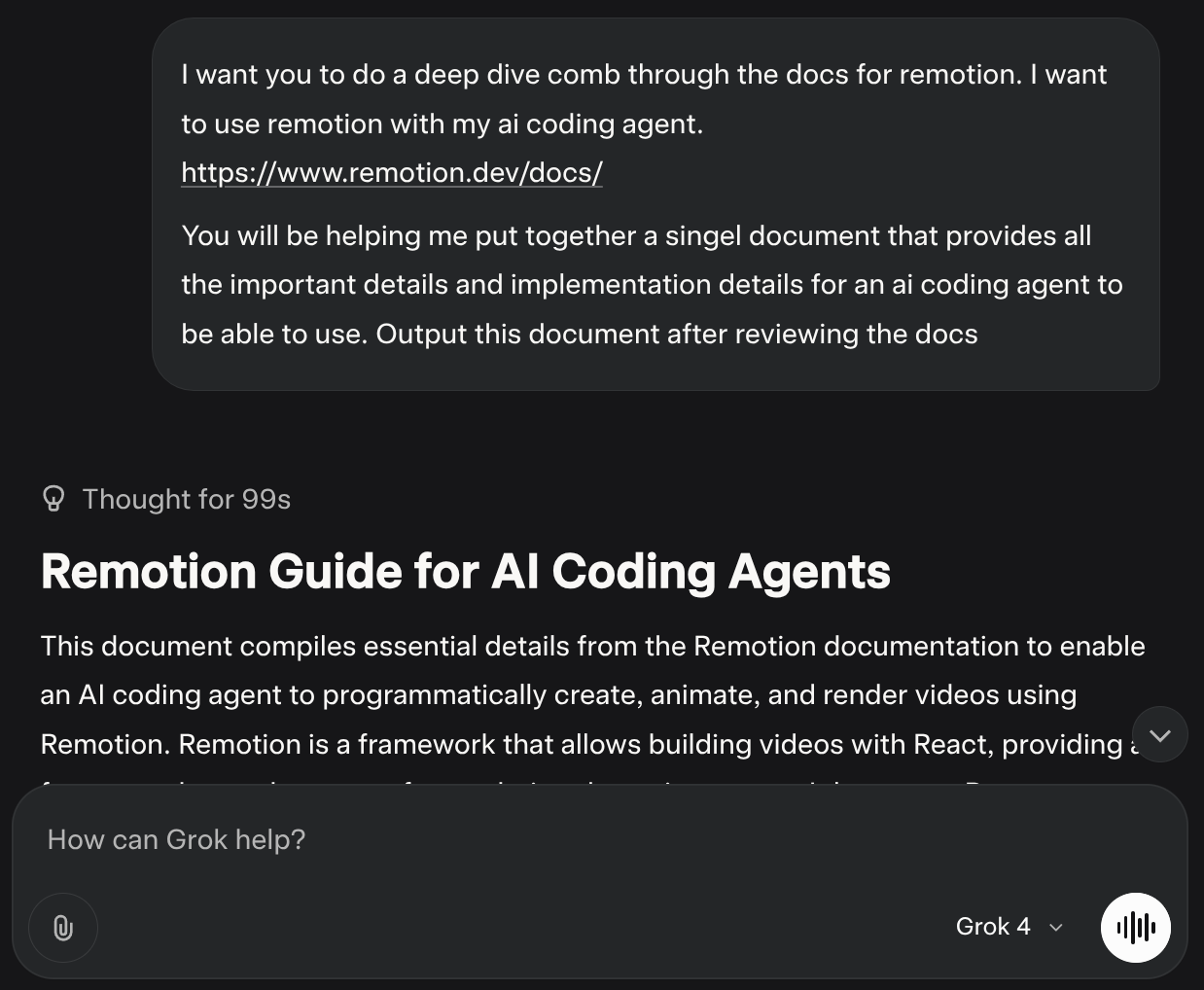
Next, I have this to document to amp, and had the oracle review it and give me an implementation plan for the following idea:
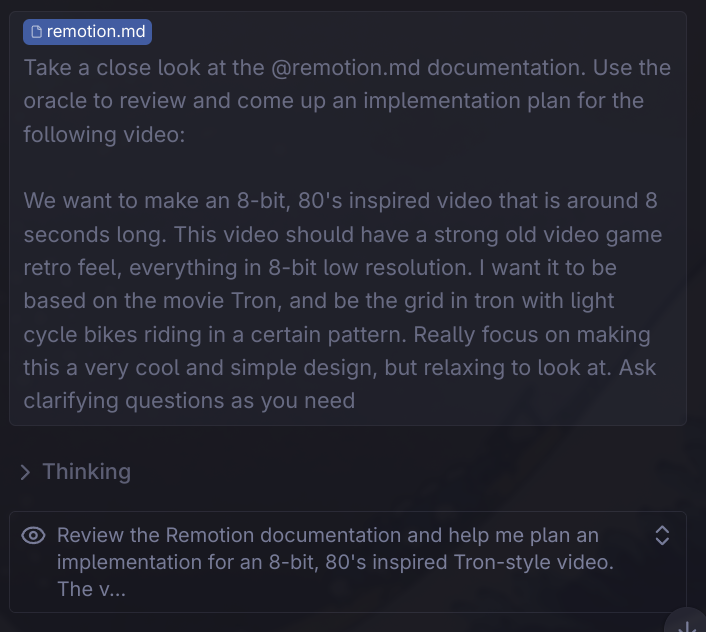
Amp actually gave me some pretty good follow up questions to learn exactly what I wanted from the video. It asked things like:
Clarifying Questions:

1.Bike Behavior: Should the light cycles:

Move in perfect loops/rectangles like classic Tron?
Cross paths and create interesting intersections?
Move at the same speed or have some variation?
Color Scheme: For the 80's aesthetic, do you prefer:

2. Classic cyan/orange Tron colors?
Neon pink/purple/yellow combinations?
Multiple bike colors or stick to 2-3?
Grid Style: Should the grid be:

3. Static with subtle flicker?
Pulsing/breathing effect?
React to the bikes passing over it?
Audio: Would you like me to include:

4. A simple 8-bit background track?
Sound effects for bike movement?
Pure visual experience?
Resolution: The Oracle suggests a 240×135 virtual canvas scaled up 8x. Is this pixelated enough, or would you prefer even chunkier pixels?
This was just a first try, but it gave me a pretty bad video. The grid was there and the colors were right, but the racing around motorcycles were far from my Tron dream. It reminds me of when I first started learning to use LLM’s to help me code. I could tell I needed to do a much better job of context engineering than I had been doing. But that’s the great part is I’m not done yet, I plan to keep trying to learn how to use these image and video generating tools to make some awesome content. I will do a post later on some cool things I have been able to make with whisk .
Today I learned about some powerful, lesser-known features of uv
, a fast Python package and environment manager. Beyond the usual uv venv and uv sync, uv offers commands that streamline workflows for tool management, Python versions, and reproducible builds. Here’s a quick overview of some standout features:
# Install CLI tools globally in isolated environments (like pipx, but faster)
uv tool install ruff
# Run tools ephemerally without permanent installs
uvx ruff check
# Install specific Python versions
uv python install 3.10 3.11
# List installed versions
uv python list
# Upgrade to latest patch release
uv python upgrade 3.10
# Generate a pinned lockfile
uv pip compile requirements.in -o requirements.txt --universal
# Pre-compile bytecode for faster container startup
uv pip compile requirements.in -o requirements.txt --compile-bytecode
# Auto-sync dependencies before running
uv run ruff check
# Use non-editable installs for production-like setups
uv run --no-editable python script.py
# Create source distribution and wheel
uv build --wheel
# Skip build isolation for tricky dependencies
uv build --no-build-isolation-package numpy
I have really liked using uv in my work and personal projects. It’s no secret it is becoming the best way to manage Python dependencies. Knowing some of the other things uv can do helps make developing in Python that much more enjoyable.
Check the uv docs for more details.
I have been using RepoMix on and off for projects on Github, but I never knew they had a CLI for it. It’s extremely useful and easy to setup. I was using a custom python script but the repomix cli is much easier to work with.
There are a bunch of useful commands. Here is a quick overview:
# Install using npm
npm install -g repomix

# Then run in any project directory
repomix
Pack specific files or directories
repomix --include "src/**/*.ts,**/*.md"
Exclude specific files or directories
repomix --ignore "**/*.log,tmp/"
Pack remote repositories
npx repomix --remote https://github.com/yamadashy/repomix
Initialize new config file
repomix --init
Choose your output style
# XML format (default)
repomix --style xml

# Markdown format
repomix --style markdown

# Plain text format
repomix --style plain